AtomFitness for iPhone · Coming to the App Store
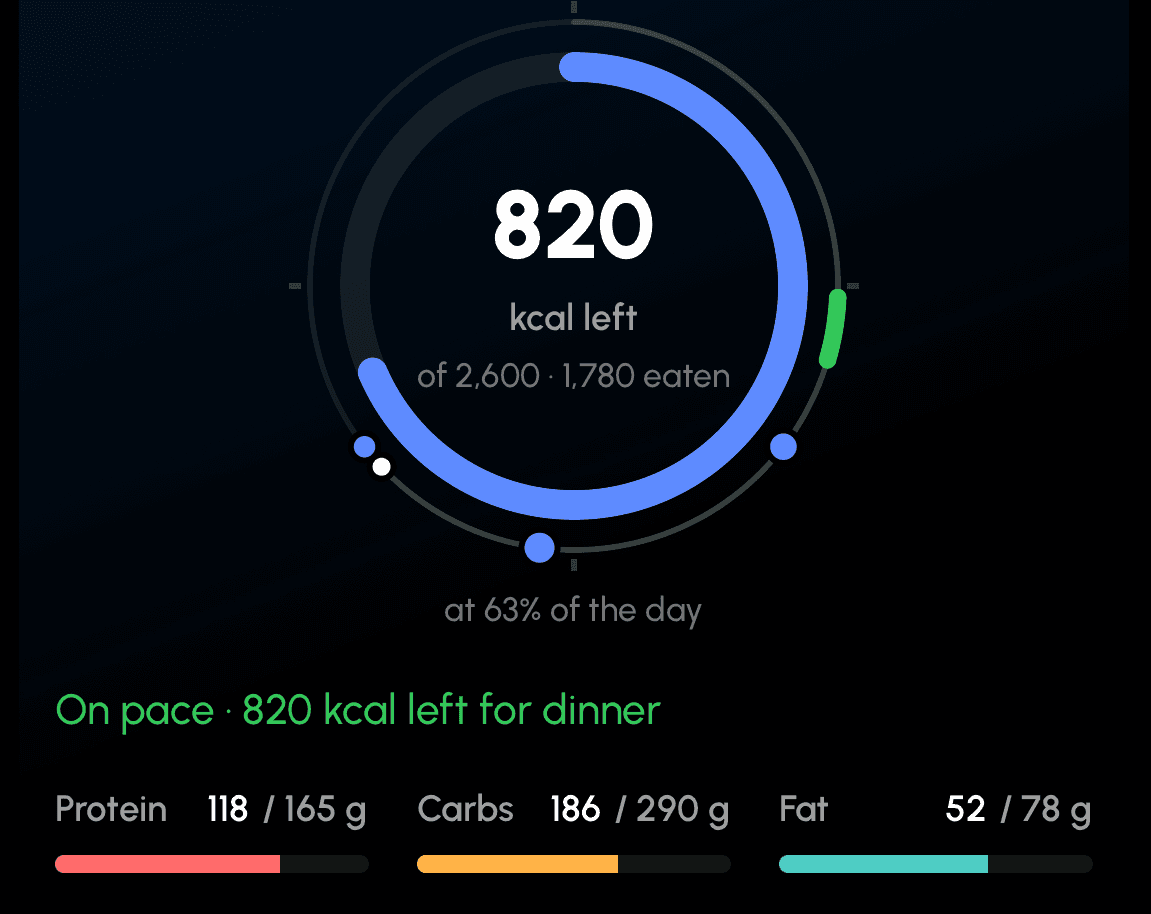
Your whole day, on one dial.
AtomFitness puts your meals, your workout and what’s left of your calories on a single 24-hour ring. Log food by photo, barcode or search in seconds, keep your session on the lock screen, and let a weekly check-in revise your targets from what actually happened.
iPhone first. Android later. One email when AtomFitness is on the App Store — nothing else.
Food
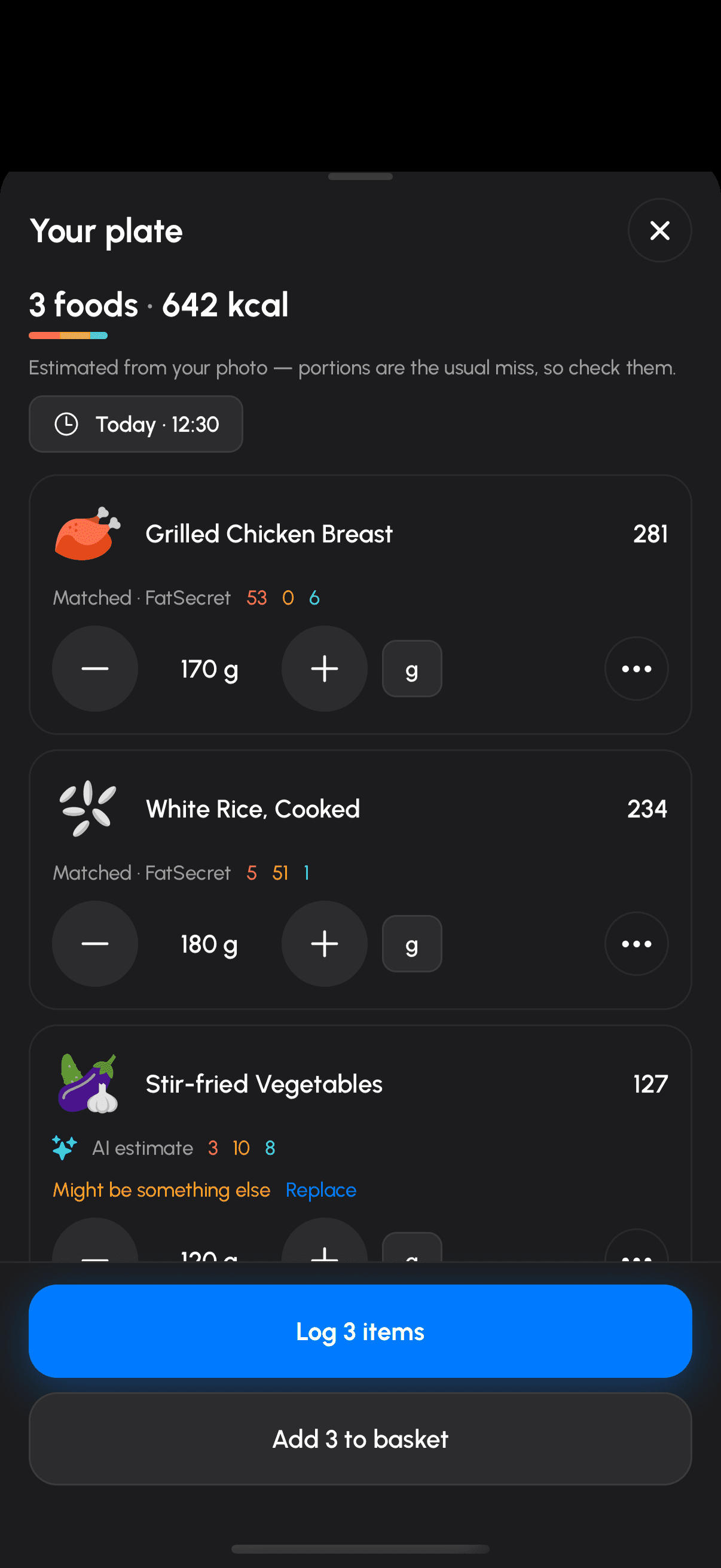
Point the camera at your plate. Then fix what it got wrong.
Photo scan gives you a list you can actually edit — rename, replace or remove any item, change the amount, add another photo — then log it or send it to your basket. Every estimate says where it came from and how sure it is.
Barcodes check a shared, moderated food database first, then Open Food Facts, USDA and FatSecret, then the label, then you. Foods carry a badge — verified, community, or under review — and you can flag a wrong one or propose a correction from the app.
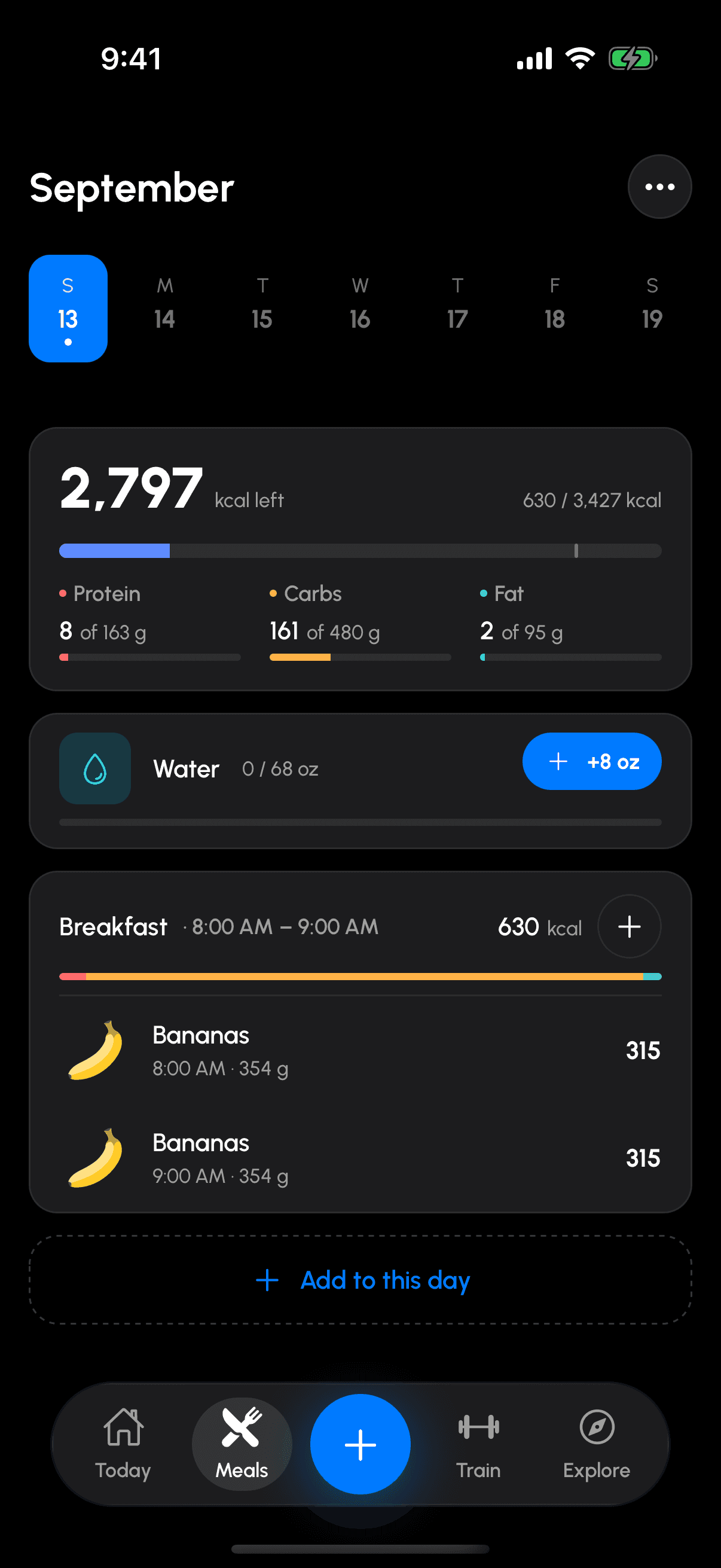
Your day reads as a headline and a receipt: what’s left at the top, one card per sitting with its own macro bar, and a water card you can log from. Real food pictures, not emoji.
Train
Every kind of workout gets its own screen.
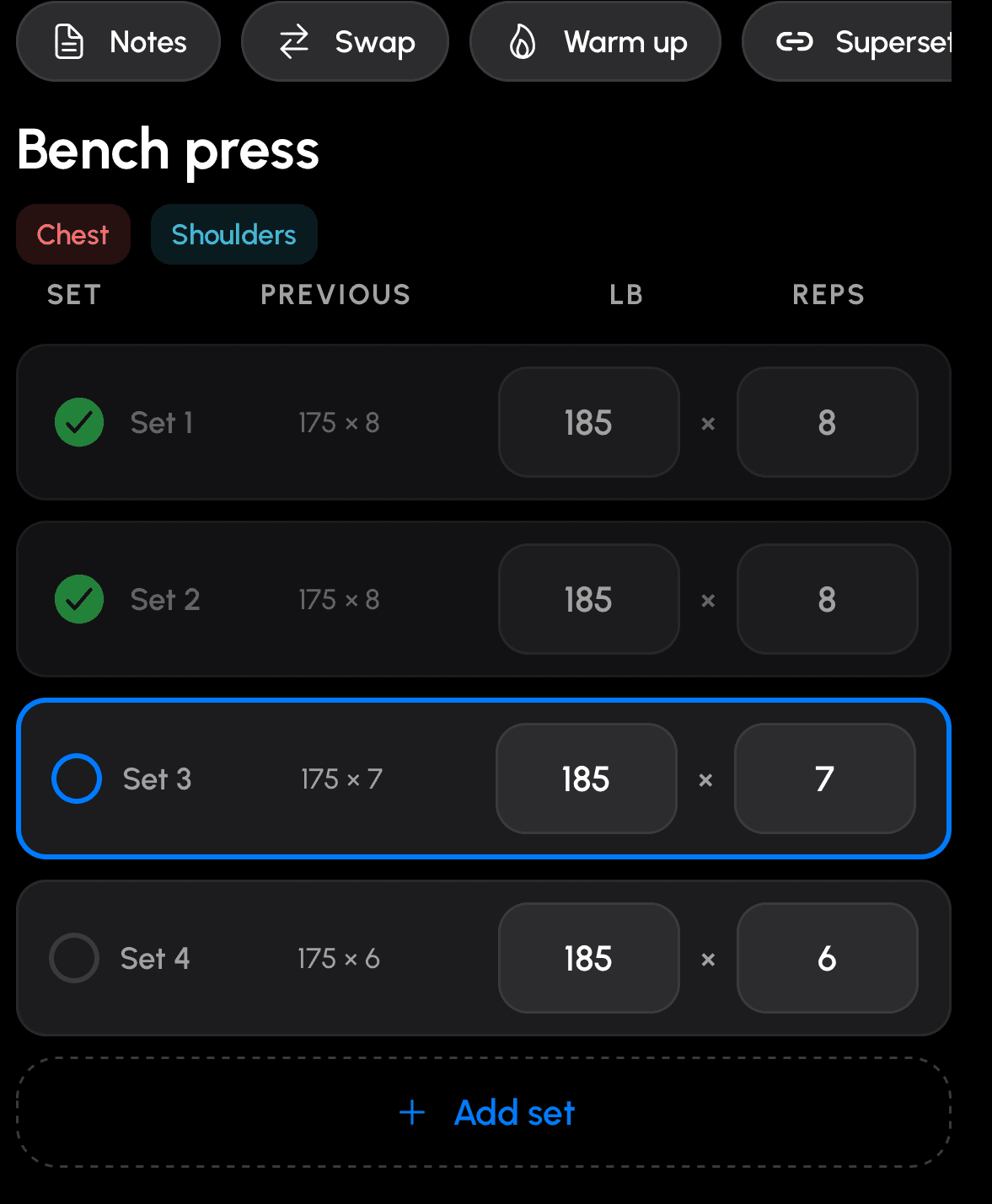
Weights get sets and reps. A plank gets a countdown that logs itself. A run or a ride gets a stopwatch, distance and pace with a target line. A circuit runs as rounds and can play itself.
Group two or more exercises into a superset or a circuit, set the rounds and both rest values, and the rest timer knows the difference between “between exercises” and “after each round”.
The lock screen and your Apple Watch show the same thing the phone does, and rest reminders arrive as notifications — nothing needs the app open.
After the session
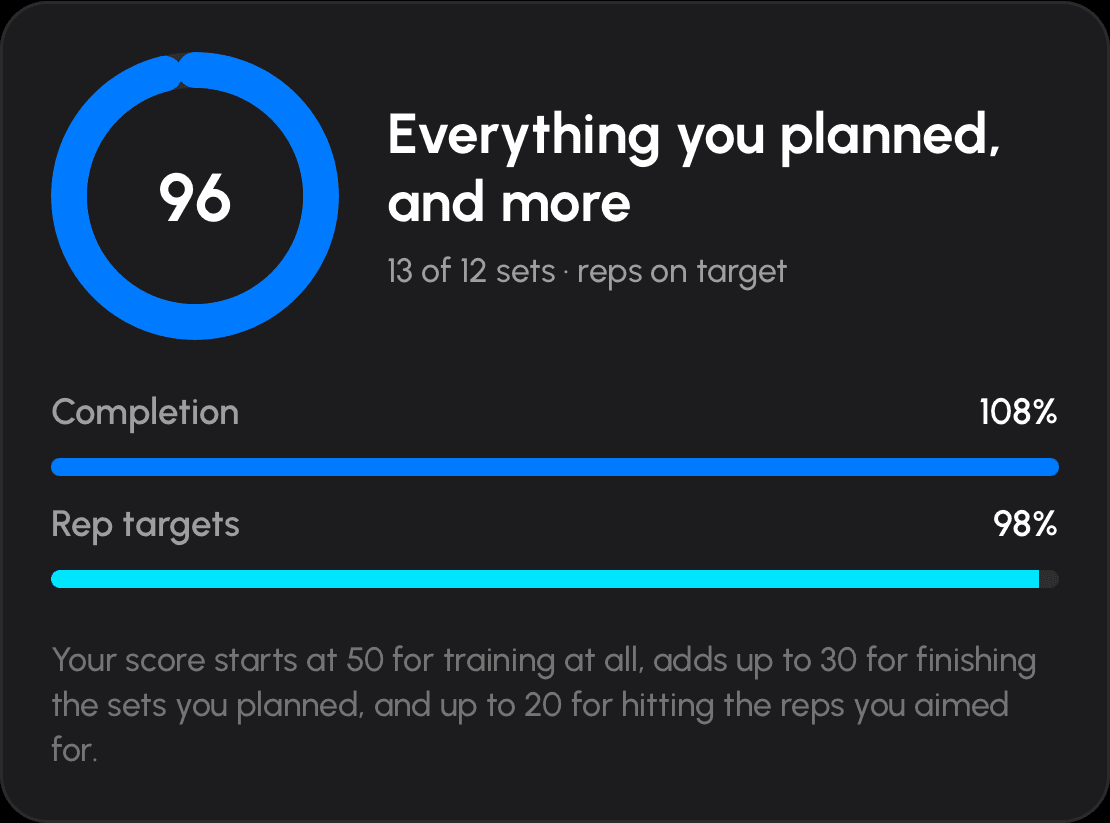
One number that fits what you did.
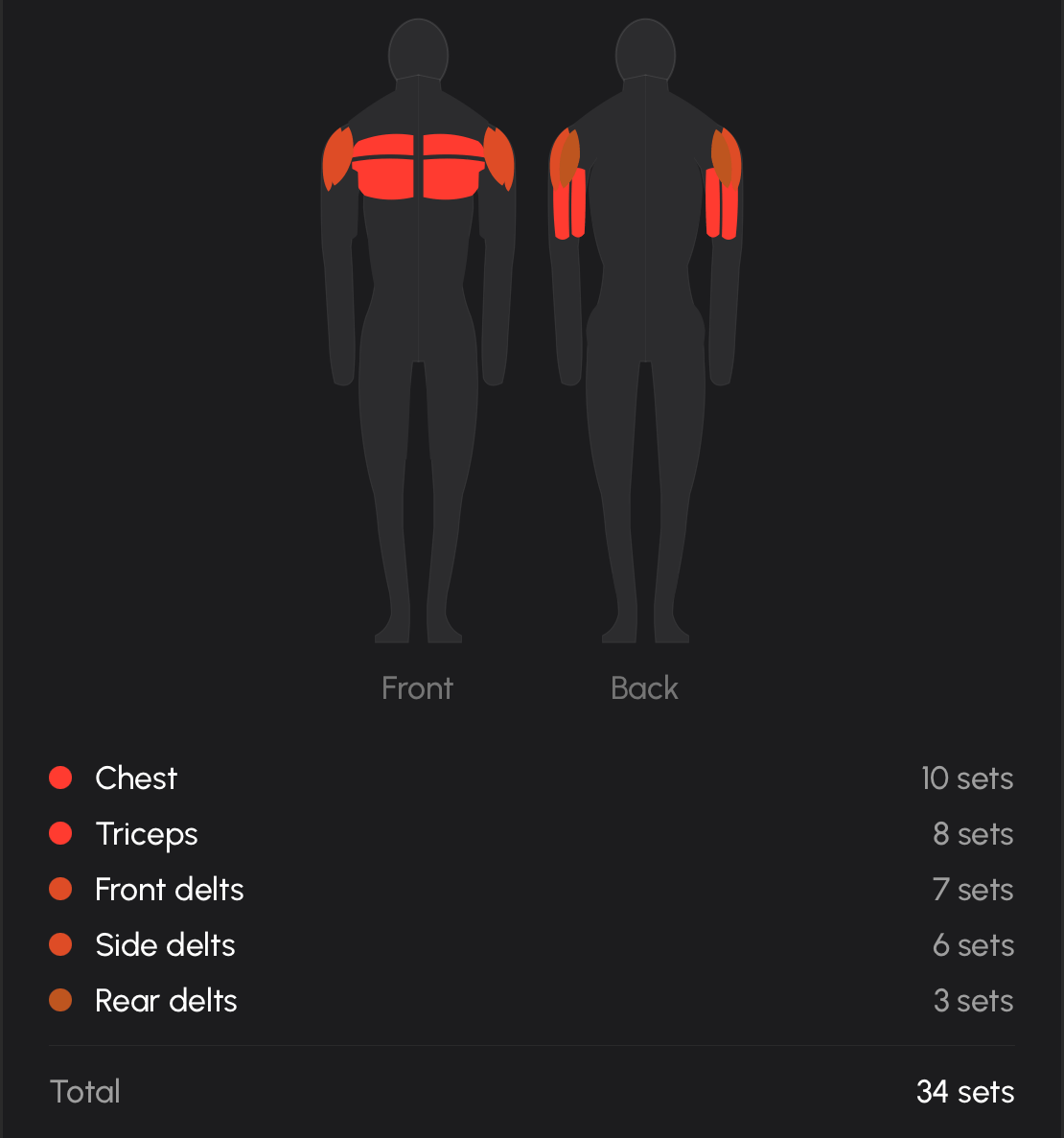
The finish screen leads with the figure that matters for that session — volume for a lifting day, distance for a run, reps when there’s no load — then your records, a map of the muscles you worked, and an analysis screen with your last five sessions behind every figure.
Progressive overload reads the same history. It tells you when to go up and by how much, when to back off, and — if it doesn’t have enough yet — how many more sessions it needs before it will say anything.
Goals
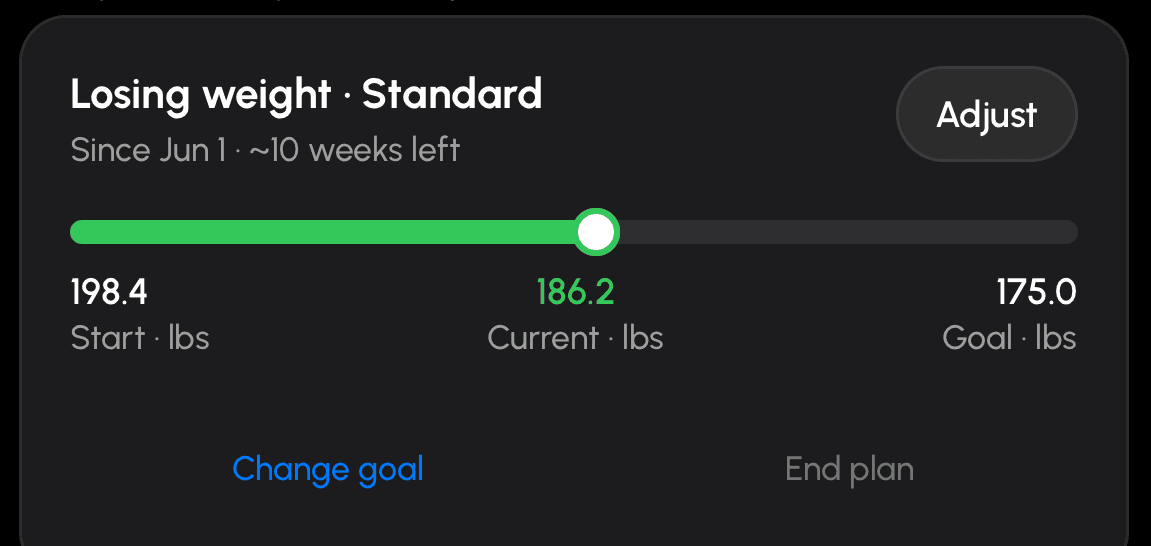
Targets you can see, edit, and let the plan revise.
Take your calories and macros from the plan, or set your own — Balanced, High protein, Low carb or Custom — with the maths shown live and an overshoot blocked before you can save it.
On your check-in day the plan looks at what you ate and what the scale did, and revises the targets within safety floors. Today shows what you ate against what you burned, and your week against each day’s own target.
The basics
No ads. No tracking.
No analytics, advertising or crash SDK is installed. What you log is used to run the app and for nothing else.
Ten languages.
English, German, Spanish, French, Italian, Japanese, Korean, Portuguese, Russian and Chinese — with numbers, dates and durations in your own language.
Apple Watch and Apple Health.
Start and run a workout from your wrist. Steps, weight and workouts sync with Apple Health — and the app works fully if you say no.
Yours to delete.
Delete your account and everything with it from inside the app, or by email.
Pricing
One subscription. Everything in it.
AtomFitness Premium is $9.99 a month or $59.99 a year. Start with a 7-day free trial: nothing is charged to start it, and it doesn’t turn into a subscription by itself. There’s no free plan in this version — but everything you log during the trial stays saved, and it’s all there the moment you subscribe.
$59.99
per year · about $5 a month
7-day free trial first
Included
- Photo, barcode and label scanning, with sources on every food
- Today’s dial, the Meals day view, the basket and the calendar
- Live workouts for every type, on the lock screen and Apple Watch
- Progressive overload, plans, splits and AI-generated workouts
- Goals, weekly check-ins and the muscle map
- Sharing workouts, splits and recipes
Subscriptions are bought in the app on iPhone. Prices in US dollars; the App Store shows local pricing.
Your subscription renews automatically at the price shown until you cancel. Payment is charged to your store account when you confirm the purchase, and again at each renewal unless you turn off auto-renew at least 24 hours before the period ends. Manage or cancel your subscription in your store account settings. Terms of use · Privacy Policy
Read how it works
The rules are written down.
How your calorie targets are calculated
Where your calorie and macro numbers come from, and how check-ins revise them.
How it decides when you go up in weight
When the app tells you to go up in weight, and how much.
Logging food: photo, barcode, label, search
Photo, barcode, label, search, recipes, the basket and water.
Also in the works
AtomGrocery
A second app from the same studio: a grocery list your household shares. It is in development and is not part of this launch — there is no date, no price and no store listing yet. What is built today:
- Lists your household shares — invite someone as an editor or a viewer, and edits show up on everyone’s phone as they happen.
- Items sort themselves into aisles as you type, so the list reads in the order you walk the shop.
- An assistant you can ask for a week of dinners, which turns the answer into list items.
- A pantry of what you already have, and recipes that become items in one tap.
- Saved stores, with an arrival notification to the others on the list — only when you have allowed location.
We’ll say more when it is ready.
Questions
Is there a free plan?
Not in this version. Every feature is in the 7-day trial, nothing is charged to start it, and it doesn’t turn into a subscription on its own. Everything you log during the trial stays saved and is there the moment you subscribe.
Which phones?
iPhone first. An Android build exists and is being tested; it isn’t part of this launch. Leave your email with “Android” selected and we’ll tell you when that changes.
When?
We’re in the App Store submission process. The waitlist gets one email the day it’s live.
Where does the food data come from?
A shared, moderated database checked first, then Open Food Facts, USDA and FatSecret, then the label on the package. Every food shows its source and a badge — verified, community, or under review — and you can flag a wrong one from the app.
Do I need an Apple Watch or Apple Health?
No. Both are optional; the app is fully usable without them. Today’s dial is drawn from what you log, not from Health data.
What do you collect, and can I delete it?
Your account details, what you log, and — only if you turn them on — Health data, workout location and photos. Nothing is used for tracking or advertising, and no analytics SDK is installed. Delete your account from inside the app or by email and everything goes with it.
Does the subscription renew by itself?
Yes, like any App Store subscription: it renews at the price shown until you cancel, and you cancel in your App Store account settings. The trial is separate and does not renew into anything.
Be first on the list.
One email when AtomFitness is on the App Store. Nothing else.